In my 15 years as a consultant, I’ve seen more Cloud ERP projects derailed by poor data migration than by any other single factor. It’s the invisible foundation of your digital transformation, and if it cracks, the entire structure comes crumbling down. Companies spend millions on a state-of-the-art Cloud ERP, only to populate it with flawed, incomplete, or poorly structured data from their legacy systems. The result is always the same: a failed implementation, frustrated users, and a catastrophic loss of ROI.
This isn’t just a technical exercise of moving files from point A to point B. Executing effective Data Migration Strategies for Cloud ERP: Ensuring Accuracy and Minimizing Downtime is an art and a science. It’s about preserving the lifeblood of your organization—your data—while fundamentally changing the systems that manage it. It requires meticulous planning, deep technical expertise, and a ruthless commitment to quality.
This article will pull back the curtain on what it truly takes to succeed. We’ll move beyond generic advice and dive into the battle-tested strategies I use in the field to navigate complex migrations. You’ll learn how to assess and cleanse your data, choose the right migration approach, and execute a technical plan that protects data integrity and keeps your business running.
The Foundation: Pre-Migration Data Assessment & Cleansing
Before you write a single line of migration script, you must understand the terrain. I’ve seen projects jump straight into the technical “how” without first understanding the “what” and “why” of their existing data. This is a recipe for disaster. The pre-migration phase is arguably the most critical stage of the entire project.
The Data Profiling Imperative
You cannot migrate what you don’t understand. Data profiling is the process of examining your source data to understand its structure, content, and quality. It involves running queries and using specialized tools to uncover metadata, identify data types, and find inter-relationships between tables.
In my experience, this is where the first skeletons fall out of the closet. A common field error I consistently encounter is the assumption that the data in a legacy system adheres to its own documented schema. It rarely does. We often find “date” fields filled with text notes or “numeric” fields containing currency symbols, which would cause any automated migration script to fail instantly.
The Unsexy but Crucial Task of Data Cleansing
Once you’ve profiled your data, you’ll inevitably find it’s “dirty.” Data cleansing is the process of fixing or removing incorrect, corrupted, incorrectly formatted, duplicate, or incomplete data. This isn’t just about deleting rows; it’s a strategic process.
Think about deduplicating customer records, standardizing address formats for the new ERP’s shipping module, or resolving conflicting entries for the same product SKU. On one project, a simple failure to standardize country codes led to thousands of international orders being routed incorrectly post-launch, a costly and embarrassing mistake that could have been easily avoided.
Warning/Caution: Do not treat data cleansing as a purely IT function. Business users—the actual owners of the data—must be involved to make judgment calls on which data to keep, what to merge, and how to handle ambiguities. Their input is non-negotiable for ensuring data accuracy.
Establishing a Data Governance Framework
Finally, pre-migration is the perfect time to establish rules for the future. A data governance framework defines who can take what action, upon what data, in what situations, using what methods. It ensures that the clean data you migrate into your new Cloud ERP *stays* clean.
This involves appointing data stewards from different business departments and defining clear standards for data entry and maintenance. Without this, you’re just scheduling your next cleanup project in three to five years.
Choosing Your Migration Approach: Big Bang vs. Phased
Once your data is clean and understood, you need to decide how you’ll perform the cutover. This is one of the most significant strategic decisions you’ll make, directly impacting risk, cost, and business disruption. The two primary methods are the ‘Big Bang’ and the ‘Phased’ approach.
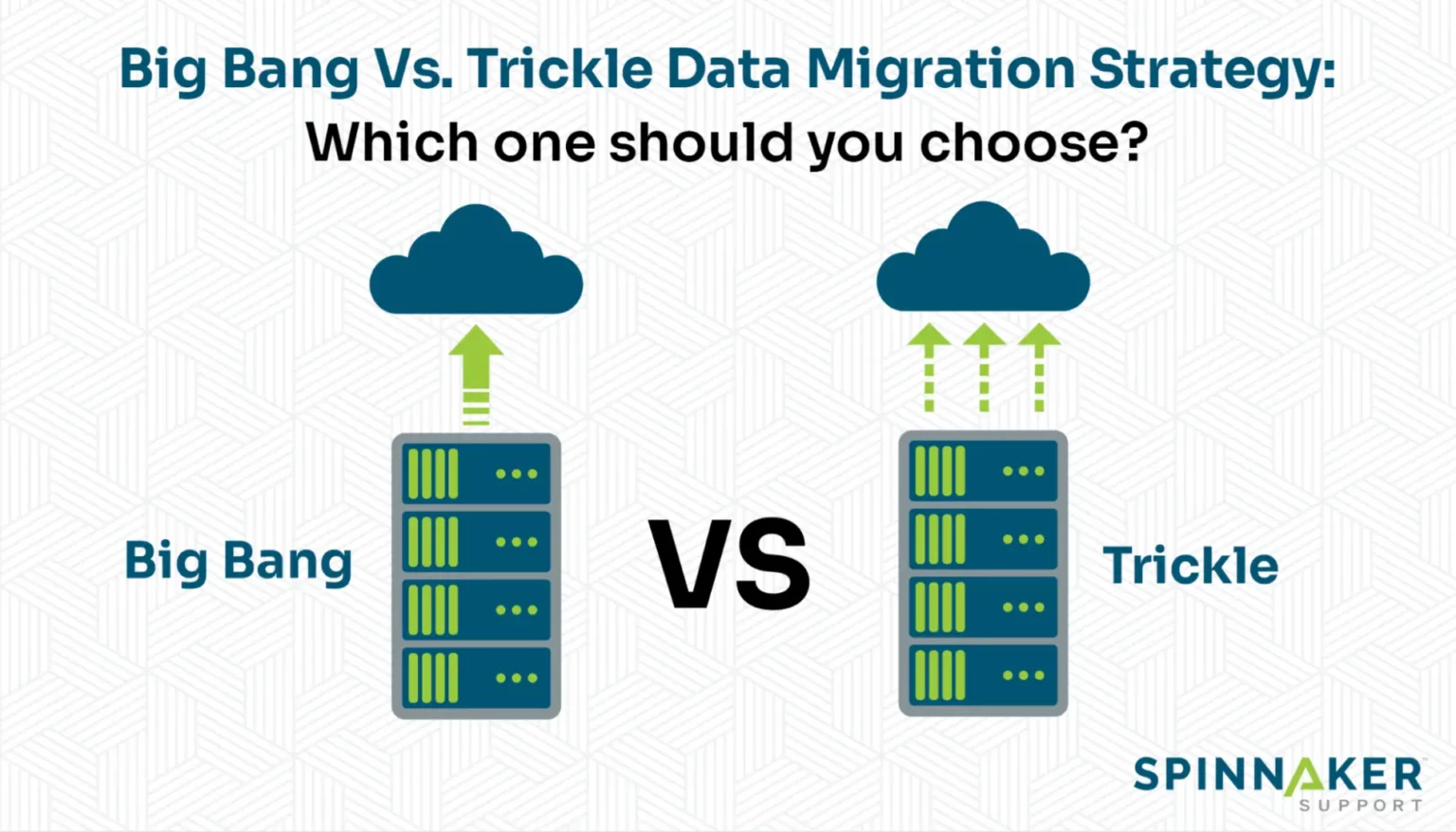
The High-Risk, High-Reward ‘Big Bang’ Migration
The ‘Big Bang’ approach is exactly what it sounds like: you migrate all your data in a single, massive operation, typically over a weekend. You turn off the old system on Friday and turn on the new Cloud ERP on Monday. It’s fast, and if it works, it’s incredibly efficient because you don’t have to maintain two systems simultaneously.
However, the risk is monumental. I consulted on a project for a mid-sized manufacturing firm that chose this path. An unforeseen issue with their inventory data migration script wasn’t discovered until late Sunday. They had to roll back the entire migration, and the business was effectively paralyzed for two days, costing them hundreds of thousands in lost production and delayed shipments.
The Strategic ‘Phased’ Migration
A phased migration involves moving data incrementally, either by module (e.g., financials first, then HR, then supply chain) or by business unit (e.g., North American operations first, then European). This approach is slower and more complex, often requiring temporary interfaces between the old and new systems.
The overwhelming advantage is risk mitigation. Each migration phase is a smaller, more manageable project. You can test, validate, and learn from each phase, applying those lessons to the next. This method aligns perfectly with modern Cloud ERP implementation best practices, as it allows users to adapt to the new system gradually.
Author’s Expert Note: For any organization with moderate to high complexity, a phased or hybrid approach is almost always the superior choice. The allure of the Big Bang’s speed is a siren song that often leads projects onto the rocks. The control and risk reduction offered by a phased rollout provide a much higher probability of success.
A Comparison of Core Migration Methodologies
Choosing the right methodology depends entirely on your organization’s risk tolerance, complexity, and resources. I’ve summarized the key trade-offs below based on my field experience.
| Factor | Big Bang Migration | Phased Migration | Hybrid Approach |
|---|---|---|---|
| Downtime | Concentrated (e.g., one weekend) but high-impact if issues arise. | Minimal to no downtime per phase; business operations continue. | Planned, shorter downtime for specific modules or units. |
| Risk Profile | Extremely high. A single failure can halt the entire business. | Low. Issues are isolated to a single module or business unit. | Moderate. Risk is contained within the scope of each migrated piece. |
| Complexity | Lower technical complexity (no temporary interfaces needed). | High technical complexity (requires interfaces and data synchronization). | High, but manageable as it blends both strategies. |
| Cost | Lower initial cost, but potentially catastrophic costs if it fails. | Higher initial cost due to longer project timeline and interface development. | Balanced cost, optimizing resources over the project duration. |
| User Adoption | Difficult. Users are forced to learn everything at once. | Easier. Users learn the new system module by module. | Structured adoption, focusing on one business area at a time. |
The Technical Engine: The ETL Process Demystified
Regardless of your chosen approach, the technical execution relies on a process known as ETL: Extract, Transform, and Load. This is the workflow that physically moves your data. Misunderstanding how this works is a common cause of data corruption.
Extract: Pulling Data from Legacy Systems
Extraction is the process of retrieving data from its original source. A major hurdle I’ve seen in the field is dealing with archaic, poorly documented legacy systems. While modern databases have standard connectors (APIs, ODBC), older mainframe or AS/400 systems might require highly specialized tools or custom-written scripts to get the data out reliably.
The goal here is a full, bit-for-bit copy of the source data. You should never perform any data manipulation during the extraction phase. The raw data is moved to a “staging area”—a temporary database where it can be worked on without affecting the live legacy system.
Transform: The Heart of Data Integrity
This is where the real work of your Data Migration Strategies for Cloud ERP: Ensuring Accuracy and Minimizing Downtime happens. In the transformation stage, the raw data in your staging area is cleansed, validated, and re-formatted to match the schema of the new Cloud ERP system.
This includes everything from mapping old data fields to new ones (e.g., “CUST_ID” becomes “CustomerAccountNumber”) to applying complex business rules (e.g., splitting a single “Address” field into “Street,” “City,” “State,” and “Zip”). This is also where validation scripts are run to check for data integrity, ensuring, for example, that every sales order has a valid customer associated with it.
Load: Populating Your New Cloud ERP
The final step is loading the transformed, clean data into the target Cloud ERP. This must be done in a specific sequence. You must load foundational master data (like customer lists, product charts, and general ledger accounts) *before* you load transactional data (like invoices and purchase orders) that depends on it.
Warning/Caution: Many Cloud ERPs have API rate limits that can slow down the loading process. For large datasets, using the ERP’s native bulk-loading utilities is often far more efficient. Attempting to push millions of records through a standard API can add days to your cutover timeline.
My Go-To Pro Tips for a Flawless ERP Data Migration
Over the years, I’ve developed a checklist of non-negotiable best practices. These tips have consistently separated the successful projects from the failures.
- Start Cleansing on Day One: Don’t wait. Data cleansing is a long and arduous process. Begin profiling and cleaning your data the moment the ERP project is greenlit.
- Involve Business Users Early and Often: IT cannot and should not make decisions about business data. Form a cross-functional data migration team with representatives from every key department. They are the only ones who can validate the data’s accuracy and context.
- Conduct Multiple Mock Migrations: A “mock” or “test” migration is a full dress rehearsal. I insist on at least three successful mock runs before the final go-live. Each run will uncover new problems with your scripts, data, or process, allowing you to fix them in a low-risk environment.
- Don’t Forget About Data Archiving: You likely don’t need to migrate 20 years of historical transactional data into your new, high-performance Cloud ERP. Develop a clear strategy for archiving old data that’s needed for compliance but not for daily operations.
- Plan Your Cutover Weekend Like a Military Operation: Your go-live cutover plan should be a detailed, hour-by-hour schedule with assigned roles, communication plans, and pre-defined rollback criteria. Everyone on the team needs to know exactly what they’re doing and who to call when something goes wrong.
Frequently Asked Questions about Data Migration Strategies for Cloud ERP: Ensuring Accuracy and Minimizing Downtime
How much data should we migrate to the new ERP?
Only migrate what is active and necessary for ongoing operations. A common best practice is to migrate master data and 2-3 years of transactional data. Archive the rest in a secure, accessible data warehouse for reporting and compliance.
What is the biggest risk in ERP data migration?
Data inaccuracy is the single biggest risk. Migrating “dirty” data into a new system leads to flawed business intelligence, operational errors, and a complete loss of user trust in the new ERP, crippling adoption from day one.
How long does a typical data migration take?
For a mid-sized enterprise, the data migration workstream often takes 6-12 months. The actual data transfer may only take a weekend, but the preceding analysis, cleansing, mapping, and testing phases consume the majority of the time.
Should we use a specialized tool or build custom scripts?
For complex migrations, specialized ETL tools (like Informatica, Talend, or MuleSoft) are generally superior. They offer pre-built connectors, robust transformation engines, and better logging than custom scripts, reducing development time and risk.
What is a ‘delta’ or ‘incremental’ migration?
A delta migration is used to sync data that has changed in the legacy system during the lengthy migration process. After the initial bulk load, you run a delta migration just before go-live to capture any last-minute transactions and ensure data is 100% current.
Who should be on the data migration team?
The team requires a mix of technical and business roles: a project manager, data analysts, ETL developers, legacy system experts, and business data stewards from finance, sales, and operations who can validate the data’s accuracy.
How do we validate that the migrated data is accurate?
Validation involves both technical and business-level checks. Technical validation uses scripts to check record counts and data types. Business validation involves having users run reports in both the old and new systems and comparing the results to ensure they match perfectly.
What happens to the old system after migration?
Do not decommission the legacy system immediately. It should be kept in a read-only state for at least one full financial closing period (e.g., a quarter or a year) to allow for data validation and historical lookups before being fully archived.
Conclusion
Executing a successful data migration is the bedrock of a high-ROI ERP implementation. It’s a complex, high-stakes endeavor, but it is not an insurmountable challenge. By focusing on the foundational principles of diligent planning, thorough data cleansing, extensive testing, and a strategic execution approach, you can navigate the process smoothly. The ultimate goal is to empower your new system with clean, accurate, and trustworthy data from the moment it goes live.
Remember, your new platform is only as good as the data within it. By mastering your Data Migration Strategies for Cloud ERP: Ensuring Accuracy and Minimizing Downtime, you are not just moving information; you are setting the stage for future growth and operational excellence. This careful preparation is a critical first step in leveraging the full potential described in The Ultimate Guide to Cloud ERP Systems: Driving Digital Transformation and ROI in 2026.
Originally posted 2026-05-01 13:01:51.